
3275
Push Notifications: Introduction, Benefits, & Best Strategies
6 min read
3275
6 min read
14th February was just another day for singles like me. I was strolling in my verandah, watching YouTube videos, and enjoying the gentle breeze. Just then, a notification popped up on my phone - “V-Day Sale ends tonight. Learn for as low as $10.”, and I was hooked. I opened the Udemy app and ended up buying two new courses on Valentine’s Day. Quite a hook-up with my new partners - the courses on V-Day!
Well, that’s just one example out of countless examples to prove the potential of push notifications. If you don’t know what push notifications are, how they help, and the best strategies to create them, you’ll learn it all by the end of this post.
Then came the year 2009 when Apple launched the push notification service with iOS 3.0. Push notifications stayed mobile-only until 2015 when Google introduced push notifications through a web browser (Chrome). Fast forward to 2021, and there are hardly any companies that don’t use push notifications in their apps.
A push notification is a pop-up message that appears on a device’s screen even when you are not using the app. It helps engage your customers at the right time with the right message and increase sales and profitability.
Want help integrating push notifications in your app?
The only catch is that these push notifications should be well-timed, well-thought, and valuable. Or else they may sometimes backfire due to the distraction that they cause for the users.
Here are the few best practices that you can follow to make the most of push notifications.
While 55% to 60% of app users agree to receive push notifications, 52% seek relevant information and offers via push notifications.
So, concentrate and include only what they would like to see in your push notifications. Don’t go overboard with all kinds of information about your company that users don’t require. Put yourself in your users’ shoes and see what you would like to view.
The second factor that you must take care of is creativity. Only creative push notifications can help you stand out from the stuffed notification tray. There are two aspects that you need to cover for a creative notification - copy and design.
The copy refers to the text content of your notification while the design refers to the image that accompanies the copy. Both copy and design should complement each other to get a creative notification.
The four factors that you can take care of while creating push notifications - Intrigue, Decisiveness, Simplicity, and Alignment.
But it doesn’t mean that you can stuff your messages!
Instead, limit the characters to 40 or 50 but keep the message clear, crisp, and to-the-point. It has been a common observation that succinct and target messages of short lengths attract users more than long-drawn messages.
So, make it short - but worth opening.
Message 1 - Save up to 40% on jeans and sweaters. Order now!
Message 2 - 3-day sale on jeans and sweaters
Which one would you think can engage users more easily?
Well, for some - it may be the word “Sale”, but for most of the others - it is the figure of 40 that counts.
While both copies serve the purpose in a way, the first message conveys it in a more compelling language. It drives a sudden action from the user as they see how much they can save straight away.
So, that’s the power of compelling and action-driven words. They just make it too irresistible for the user not to open the notification.
So, choose the words - wisely and smartly to make a copy your users can’t resist.
The right CTA in the push notification helps:
Two ways you can avoid overdoing it are as follows:
First, the user will land on exactly the page of the app you want them to take them to for the action.
Second, it will be direct and time-saving for the user as they don’t have to browse your app to acquire the information.
If you have good traffic on your website and app, but cart abandonment is your main issue, send out reminder notifications. You can also try offering an incentive related to the purchase to bring back the user to your app.
In other cases, users leave your app because the product they want is out of stock. In that case, to re-engage the user and bring them back, back-in-store alerts can save your day. They can just grab the attention of subscribers in real-time and prompt them to take the action. In such cases, including a CTA in the push notification can be even more better to drive a quick purchase.
For example, if you decide to run a 4-day sale at your store, you can alert users about that sale. The users will want to visit your company’s store in their vicinity and boost your revenue offline too. You can also used push notifications that are triggered based on location, so anyone who comes within a specified radius of the store, gets an alert on their phone.
If you are new to e-commerce and don’t know where to start, we can help you out. We can discuss your requirements, analyze them, and build the right app for your business. We can also integrate push notifications and other functionalities as per your requirements in that. Our marketing experts can also guide you through tips to promote and monetize your app efficiently.
All product and company names are trademarks™, registered® or copyright© trademarks of their respective holders. Use of them does not imply any affiliation with or endorsement by them.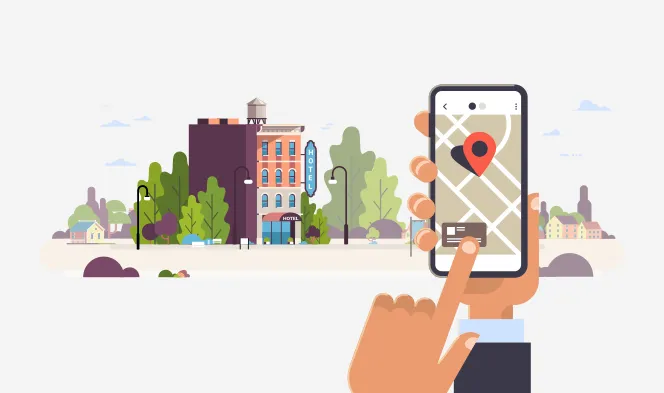
Mobile Apps
10715
By Sanjoli
Ecommerce
Mobile Apps
4716
By chandni.pandya
Development
Mobile Apps
7905
By priyanka.ghosh
You are at the right place.
Projects Completed
Technical Experts
Happy Clients
Years of Experience
Book a free consultation call with us





By submitting this form, you agree to our Terms of Use and Privacy Policy. All information provided will be kept strictly confidential.